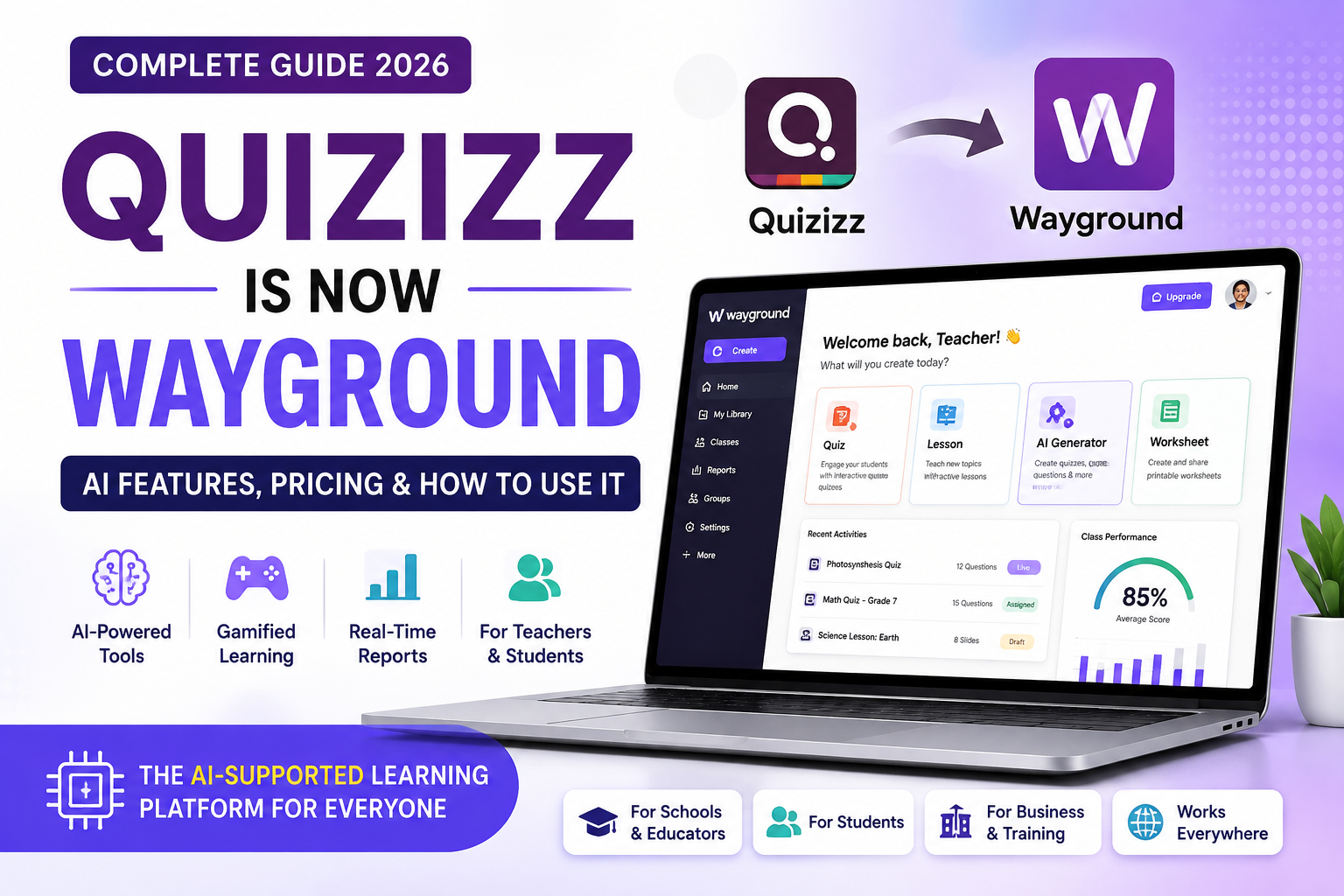
Quizizz is now Wayground, but the familiar learning platform has not disappeared. The company changed its name, website, logo, and visual identity while keeping existing accounts, classes, saved resources, and core learning workflows available to users. For teachers, students, schools, and trainers who previously relied on Quizizz, the biggest change is the brand name—not the need to start again from scratch.
Wayground now positions itself as an AI-supported supplemental learning platform for instruction, practice, and assessment. Alongside the gamified quizzes that made Quizizz popular, the platform includes AI-assisted content creation, resource enhancement, reporting, live sessions, homework, flashcards, lessons, and classroom management features.
In this 2026 guide, we explain why Quizizz became Wayground, what changed, what stayed the same, how Wayground AI works, what the current plans offer, how students join sessions, and whether the platform still deserves a place in a modern teaching or training toolkit.
If you are exploring AI and automation beyond education, XVIFS also covers practical tools for business and productivity. You may want to read our best AI tools for small businesses and our Make.com tutorial for beginners.
Quizizz Is Now Wayground: What Actually Changed?
According to the official Wayground rebrand announcement, the company renamed Quizizz to Wayground and moved its primary website from Quizizz.com to Wayground.com. Existing Quizizz links automatically redirect to the new website, so old bookmarks, shared links, and previously distributed resources can continue to work.
The visual branding also changed. Users now see the Wayground name, updated colors, refreshed interface elements, and the new brand identity instead of the old Quizizz presentation.
However, the company made it clear that existing accounts, classes, libraries, and saved resources were not erased during the transition. Teachers did not need to recreate their accounts simply because the brand changed.
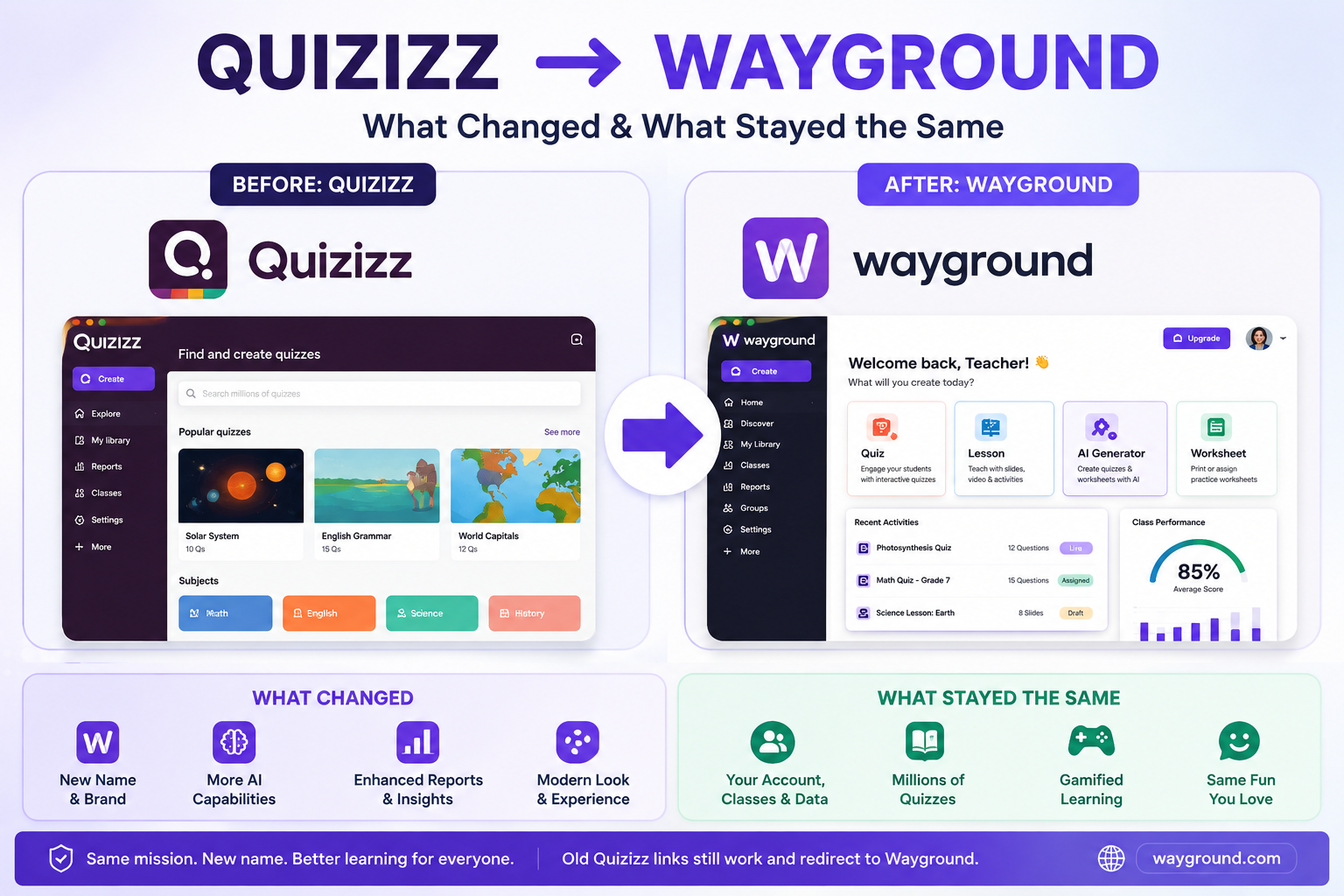
What changed after the Quizizz rebrand?
- The platform name changed from Quizizz to Wayground.
- The main website moved to Wayground.com.
- The logo, colors, and overall branding were refreshed.
- Wayground now emphasizes AI-supported teaching, differentiation, practice, and assessment more strongly in its product positioning.
What stayed the same?
- Existing teacher and student accounts remain usable.
- Previously created classes and resources remain accessible.
- Old Quizizz links redirect to Wayground.
- Teachers can still create interactive assessments and run live or assigned sessions.
- Students can still join activities using a teacher-provided code, link, QR code, or supported LMS workflow.
For anyone wondering whether Quizizz is now Wayground means they need to migrate their content manually, the practical answer is generally no. The rebrand was designed to preserve the existing user experience while expanding the platform’s identity and capabilities.
What Is Wayground?
Wayground is the platform previously known as Quizizz. The company describes it as an AI-supported supplemental learning platform that brings together resources for instruction, practice, and assessment.
The platform is primarily designed for educators and students, but many of its interactive assessment and training features can also be useful for tutors, professional trainers, workshops, internal learning teams, and organizations that need simple knowledge checks.
Wayground is not only a quiz maker. Depending on the plan and workflow, teachers can create assessments, interactive lessons, flashcards, passages, and other learning resources, assign activities, run live sessions, review reports, manage classes, integrate with supported learning systems, and use AI to speed up content creation.
Wayground AI: The Biggest Upgrade for 2026
One of the strongest reasons the Quizizz is now Wayground update matters is the platform’s growing AI toolset. Wayground AI can help teachers build and improve instructional materials faster instead of creating every question manually.
According to Wayground’s official AI documentation, its tools can generate assessments from multiple inputs, including text prompts, documents, YouTube videos, images, and supported curriculum options.
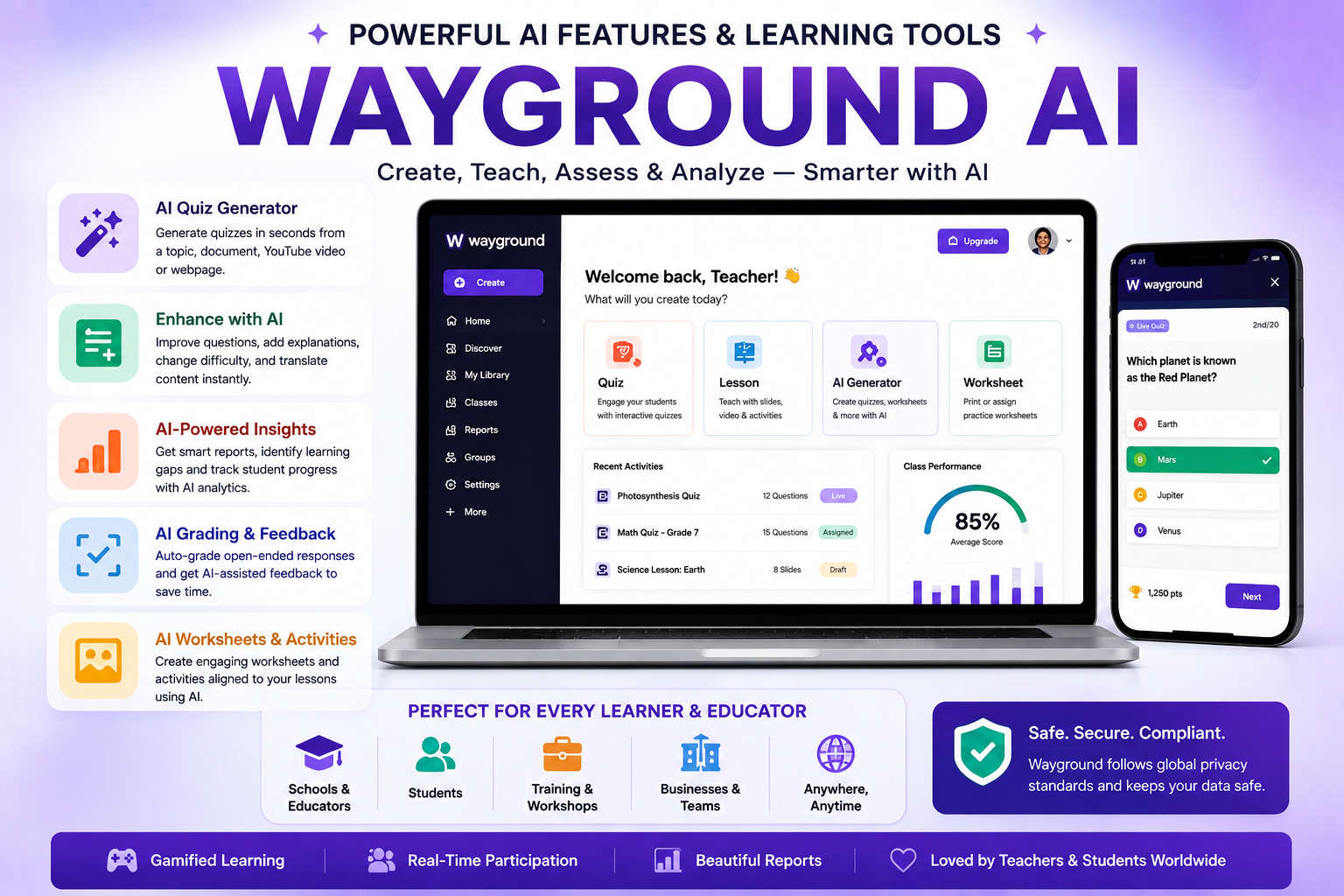
Generate assessments from a prompt
A teacher can enter a topic, concept, learning objective, or set of instructions and ask Wayground AI to generate questions. This can be useful when building a quick formative assessment, reviewing a topic, preparing test practice, or creating a starting point that the teacher will edit before assigning.
Create questions from documents
Teachers can upload supported files and use Wayground AI to extract or generate assessment content from them. Wayground’s documentation lists formats including PDF, PPTX, DOC, DOCX, PNG, and JPG for document-based quiz creation.
Generate quizzes from videos and other sources
Wayground AI can also use YouTube videos and other supported content sources when generating assessments. This can be particularly convenient when an educator already has instructional material and wants to build comprehension questions around it.
Enhance existing questions with AI
Wayground’s AI tools are not limited to creating new quizzes. Official documentation also describes AI actions that can help adapt, customize, and improve existing activities, making it easier to differentiate learning materials for different student needs.
AI-generated content should still be reviewed by the teacher. Automated tools can save time, but instructors remain responsible for checking accuracy, difficulty, wording, curriculum alignment, and suitability for their learners.
How to Create a Quiz with Wayground AI
- Sign in to Wayground: Open your teacher account and access the creation area.
- Choose the resource type: Select an assessment or quiz.
- Select Generate with AI: Choose the available AI creation method.
- Add your source: Start from a prompt, document, video, image, or another supported source.
- Enter your learning objective: Add context such as topic, grade level, difficulty, or desired question style.
- Generate the assessment: Let Wayground create a first draft.
- Review every question: Correct factual errors, adjust difficulty, and add your own material where needed.
- Run or assign the activity: Choose the appropriate session settings for your learners.
The most effective use of AI is usually as an assistant rather than an automatic replacement for teacher judgment. Wayground can speed up the first draft, while the educator ensures the final activity is accurate and appropriate.
Live Sessions, Homework and Student Practice
Wayground supports both live and assigned learning workflows. Teachers can launch an activity for students to complete together or assign a session to be completed independently.
For live activities, instructors can choose the appropriate session settings, share access information, and follow student participation. For asynchronous work, the same platform can be used for homework, review, test preparation, or self-paced practice.
This flexibility is one of the reasons Quizizz became popular in the first place, and it continues under Wayground. Teachers can choose between high-energy classroom participation and quieter individual practice depending on the learning objective.
How Students Join Wayground
Students can join a Wayground session using the official Wayground join page. A teacher typically provides a session code, link, or another supported access method.
- Go to the Wayground join page.
- Enter the code provided by the teacher.
- Enter the requested name or account information.
- Adjust available session preferences if shown.
- Start the activity when the session is ready.
Wayground’s official help center confirms that session codes are automatically generated when a teacher starts a session or assigns homework. Students can enter the code at Wayground’s join page to participate.
Gamified Learning Features
Gamification remains an important part of the Wayground experience. Interactive activities can make routine review feel more engaging than a traditional worksheet, particularly when learners receive immediate feedback or participate alongside classmates.
The value of gamification depends on how it is used. Competition can motivate some learners, while others may perform better in lower-pressure or self-paced modes. Teachers should use session settings that match the needs of the class rather than treating one game format as suitable for every student.
Reports and Data for Teachers
After an activity, reports can help educators understand how students performed. Instead of looking only at the final score, teachers can review response patterns, identify commonly missed questions, and decide which concepts require additional explanation.
This is where interactive assessment becomes more useful than simple entertainment. A well-designed quiz can act as a formative assessment tool that gives the instructor immediate evidence about what learners understand.
Wayground Plans in 2026
Wayground currently documents three main education plan categories: Starter (Basic), Individual (Super), and School & District. Plan limits differ, so users should compare the current official plan table before purchasing.
| Plan | Best For | Current Positioning |
|---|---|---|
| Starter (Basic) | Individual teachers starting with Wayground | Free entry plan with limited library, storage, question types, and selected features |
| Individual (Super) | Teachers wanting additional capabilities | Paid individual plan with broader content and feature access |
| School & District | Schools and districts | Designed for collaboration, scalability, centralized management, security, and larger deployments |
Wayground’s current comparison states that Starter and Individual plans allow up to 100 participants per session, while School & District plans can support up to 1,000 participants per session. Because plan features can change, check the official Wayground plans documentation before making a purchase decision.
Is Wayground Free?
Yes. Wayground currently offers a free Starter (Basic) plan. It also offers paid options for individual users and organizations that need additional features or broader administrative capabilities.
One current limitation worth noting is storage: Wayground states that, from January 1, 2026, Starter users can store up to 20 resources in their library. Teachers with larger resource collections should review the latest plan limits before deciding whether the free tier is sufficient.
Wayground vs the Old Quizizz Experience
For existing users, the most useful way to understand the transition is that Quizizz is now Wayground, rather than Wayground being a completely unrelated replacement product.
| Area | Quizizz | Wayground |
|---|---|---|
| Brand | Quizizz | Wayground |
| Main Website | Quizizz.com | Wayground.com |
| Existing Accounts | Original user accounts | Existing accounts continue |
| Created Resources | Quiz libraries and activities | Existing resources remain available |
| Interactive Assessments | Core feature | Still a core feature |
| AI Positioning | Growing AI functionality | More prominent AI-supported learning positioning |
Wayground for Schools and Districts
School and district deployments require more than simply giving every teacher an individual account. Larger organizations need collaboration, account management, rostering, security, integration, reporting, and consistent implementation.
Wayground’s official School & District documentation describes plans designed around centralized management, scalability, team management, and security. Schools considering a deployment should compare LMS compatibility, administrative requirements, student data policies, support, procurement rules, and the exact features included in their quoted plan.
Advantages of Wayground
- Familiar workflow for existing Quizizz users: the rebrand does not require users to abandon previous accounts and resources.
- Fast content creation: Wayground AI can turn prompts, documents, videos, images, and other supported sources into assessment drafts.
- Interactive participation: live and assigned sessions give teachers multiple ways to use the same content.
- Useful formative assessment: reports can help instructors identify knowledge gaps and commonly missed concepts.
- Free entry point: the Starter plan allows teachers to begin without a paid subscription.
- Scalable education options: School & District plans are available for larger organizations.
- Gamified experience: interactive formats can make review and practice more engaging.
Limitations to Consider
- AI output requires review: automatically generated questions can contain errors or unsuitable wording.
- Plan differences matter: not every capability is included in every subscription.
- Free storage is limited: Starter users currently have a 20-resource library storage limit.
- Gamification is not ideal for every learner: competitive mechanics can distract some students.
- Internet access is important: schools with unreliable connectivity should test the platform before depending on it.
- Data and privacy requirements vary: schools should complete their own privacy, security, and compliance review.
- Rebranding can cause temporary confusion: users familiar with Quizizz may initially wonder whether Wayground is a separate service.
Who Should Use Wayground?
- K-12 teachers who need quick formative assessments and classroom activities.
- Tutors who want interactive practice for individual learners or small groups.
- Schools and districts that need a scalable supplemental learning platform.
- Higher-education instructors who want quick knowledge checks or review activities.
- Professional trainers who need simple interactive assessments for workshops and learning sessions.
- Teachers experimenting with AI who want to generate and adapt instructional content more quickly.
Wayground and AI-Powered Education
The Wayground rebrand reflects a broader change happening across educational technology. AI is increasingly being used to reduce repetitive content-production work, differentiate instructional resources, generate first drafts, and help teachers interpret learning data.
The important distinction is that good AI-supported education still requires human oversight. Teachers understand their students, curriculum, learning environment, and context better than an automated generator. Tools such as Wayground are most useful when they accelerate preparation without replacing professional judgment.
This same principle applies to business automation. AI and automation provide the most value when they handle repetitive work while people remain responsible for decisions, quality, and strategy. If you are exploring this area outside education, see our Make.com Google Sheets automation guide and AI tools for customer support.
Frequently Asked Questions
Is Quizizz now called Wayground?
Yes. Quizizz officially changed its name to Wayground. The main website moved to Wayground.com, and old Quizizz links redirect to the new site.
Why did Quizizz change to Wayground?
The company has expanded its positioning beyond a simple quiz product and now presents Wayground as a broader AI-supported platform for instruction, practice, and assessment. The new brand reflects that wider product direction.
Do old Quizizz accounts still work?
Yes. Wayground states that existing accounts, classes, and resources continue after the rebrand. Users do not need to rebuild their libraries simply because the platform has a new name.
Do old Quizizz links still work?
Yes. Wayground says automatic redirection is in place for existing Quizizz links, helping previously shared resources continue to work after the website change.
Is Wayground free for teachers?
Wayground currently offers a free Starter (Basic) plan. Paid Individual and School & District options are also available for users who need additional features or organization-level capabilities.
How do students join Wayground?
Students can visit the official Wayground join page and enter a code provided by their teacher. Depending on the activity, they may also receive access through a shared link or supported class workflow.
Can Wayground AI create quizzes from PDFs?
Yes. Official Wayground documentation lists PDF among the supported document formats that can be used to generate or extract assessment content with Wayground AI.
Can Wayground AI use YouTube videos?
Yes. Wayground’s current AI documentation includes YouTube video input as one of the supported ways to generate assessment questions.
Final Verdict: Is Wayground Worth Using in 2026?
Quizizz is now Wayground, but the platform has retained the familiar interactive learning model that made Quizizz popular. The rebrand adds a broader identity around AI-supported instruction, practice, and assessment without requiring existing users to abandon their previous accounts and content.
For teachers, the most valuable improvements are the AI-assisted creation and enhancement tools. Being able to generate assessments from prompts, documents, videos, images, and other supported sources can reduce preparation time significantly—provided educators review the output before using it with students.
The free Starter plan also makes the platform relatively easy to test. Teachers who need additional features can evaluate the Individual plan, while schools and districts can consider organization-level options.
If you already used Quizizz, there is little reason to treat Wayground as an unfamiliar replacement. It is better understood as the next stage of the same platform. New users should compare its AI tools, assessment workflows, reporting, integrations, and plan limits with their actual teaching requirements before committing to a paid option.
For current features, plan availability, and support information, always verify details directly through Wayground and its official support documentation.
Editor’s note: Wayground features, plan limits, AI capabilities, pricing, integrations, and product terminology can change. XVIFS recommends confirming current information with the official provider before making purchasing or deployment decisions.